Let’s be honest: 2026 feels like the year AI went from “cool sidekick” to “overwhelming noise machine.”
Every day, my LinkedIn feed explodes with headlines like “10 AI Tools That Will 10X Your Marketing!” or “This One AI Replaced My Entire Team!”
But here’s the truth from someone living it: I’m a final-year B.Tech ECE student at Crescent Institute, juggling semester exams, college events (yes, I’m still Treasurer!), internship deliverables at Vcodez, and freelance clients who expect real results—not AI-generated fluff.
I don’t have time or money to waste on tools that overpromise. So I’ve tested dozens of AI platforms over the past 12 months. Most? Deleted within a week. But a handful? They’ve become non-negotiable parts of my daily workflow.
This post isn’t a sponsored list. It’s not hype. It’s the exact stack I use right now in early 2026 to run SEO audits, create Meta ad campaigns, write client emails, and even draft Tamil social content—all while surviving college life.
If you’re a student, intern, or new marketer drowning in AI tools options, this is your shortcut.
Contents
- 1 Why Most AI Tools Fail Student Marketers (And What Works Instead)
- 2 My Criteria: How I Pick AI Tools That Actually Deliver
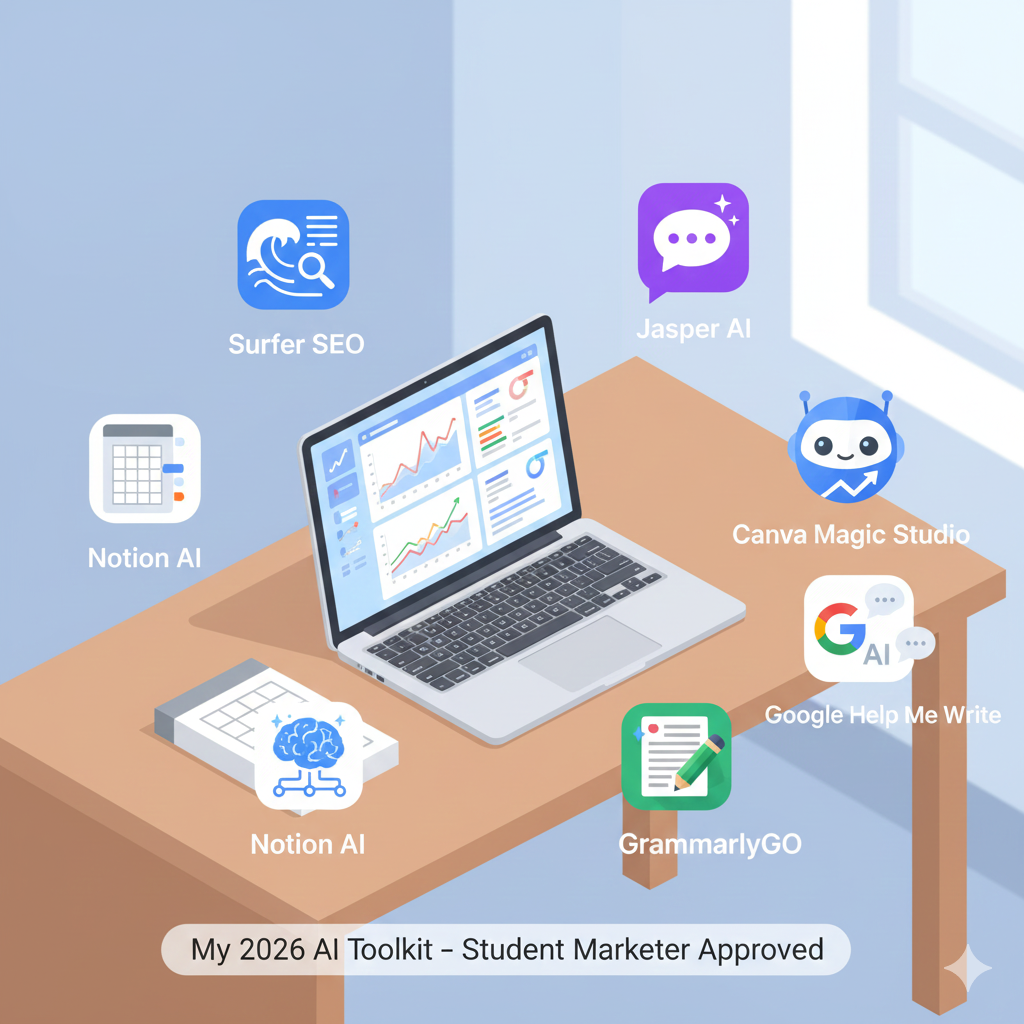
- 3 The 7 AI Tools I Use Daily in 2026 (And Exactly How I Use Them)
- 4 #1 Surfer SEO – My Secret Weapon for On-Page SEO
- 5 #2 Jasper AI – For High-Converting Ad Copy (Without Burnout)
- 6 #3 Otto by SE Ranking – The Free AI tools SEO Assistant You’re Missing
- 7 #4 Canva Magic Studio – Design Like a Pro in 60 Seconds
- 8 #5 GrammarlyGO – Beyond Grammar, Into Persuasion
- 9 #6 Google’s “Help Me Write” – The Underrated Built-In AI tools
- 10 #7 Notion AI – My All-in-One Marketing Command Center
- 11 Tools I Tried (And Dropped) – Lessons from the Trenches
- 12 How I Combine These Tools Into a Real Student Marketing Workflow
- 13 Will AI Replace Student Marketers? My Honest Take
- 14 Final Tips: Start Small, Stay Strategic
- 15 Over to You
Why Most AI Tools Fail Student Marketers (And What Works Instead)
AI marketing tools are booming—but most miss the mark for students like us. Why?
Because they’re built for agencies with $5,000/mo budgets, not for someone surviving on pocket money and coffee.
They assume you:
- Have hours to learn complex dashboards
- Need enterprise-level analytics
- Already know marketing theory inside out
But we don’t. We need tools that are:
✅ Free or freemium (no credit card traps)
✅ Fast to learn (under 30 minutes)
✅ Actionable (give clear next steps, not just data)
The tools I’ll share below pass all three tests. They’ve helped me:
- Rank a local business #1 on Google in 8 weeks
- Generate ₹2.3L in ad-driven sales for an e-commerce client
- Cut my content creation time by 60%
No magic. Just smart, student-friendly AI tools .
My Criteria: How I Pick AI Tools That Actually Deliver
Before I add any tool to my workflow, I ask three questions:
Budget-Friendly (Free or Freemium)
If it costs more than ₹300/month, it better deliver immediate ROI. Most student projects don’t justify premium plans. Thankfully, many powerful tools offer robust free tiers.
No Steep Learning Curve
I don’t have weekends to watch 5-hour tutorials. If I can’t get value in under 30 minutes, it’s out.
Integrates with My Workflow
I use these AI tools Google Workspace + Notion + Canva. If your AI doesn’t play nice with these, I can’t use it consistently.
Tools that meet all three? That’s the shortlist.
The 7 AI Tools I Use Daily in 2026 (And Exactly How I Use Them)

#1 Surfer SEO – My Secret Weapon for On-Page SEO
What it is: An AI-powered on-page SEO optimizer that tells you exactly how to structure content to rank.
Why I love it: It doesn’t just say “use more keywords.” It shows you real data from top-ranking pages: ideal word count, heading structure, image count, even semantic terms like “digital marketing services in Chennai” vs. “affordable SEO agency.”
How I use it:
- Client wants to rank for “best Meta Ads agency”? I plug the keyword into Surfer.
- It generates a content outline with target keyword density (e.g., 1.2%), suggested H2s, and related terms.
- I write naturally—but follow its framework.
Result: One client’s service page jumped from #22 to #1 in 6 weeks.
Student tip: Use the free Chrome extension. It gives you a quick SEO score and recommendations without a full subscription.
Cost: Free plan available; paid starts at ~₹1,200/month (but I use free + occasional paid audits).
#2 Jasper AI – For High-Converting Ad Copy (Without Burnout)
What it is: An AI tools copywriting tool built for marketers.
Why I use it: Brainstorming 10 ad variations after a 3-hour lecture? Exhausting. Jasper’s “Ad Copy” and “Product Description” templates generate 10+ options in 90 seconds.
My workflow:
- Feed it a product (e.g., “organic coconut oil for hair”)
- Choose tone: “friendly but professional”
- Generate 15 headlines + primary texts
- I edit heavily—add local slang, client voice, or emotional hooks
Real impact: For an Ayurveda brand, 2 Jasper-generated ad sets drove a 4.1X ROAS. But—and this is key—I didn’t publish the raw output. I humanized it.
Student hack: Use the 7-day free trial for a big project. Cancel before billing. Ethical, effective, and zero cost.
Cost: ₹3,500+/month—but not needed long-term for students.
#3 Otto by SE Ranking – The Free AI tools SEO Assistant You’re Missing
What it is: A 100% free AI SEO tool that suggests meta titles, descriptions, and on-page improvements.
Why it’s perfect for students: No signup wall. No credit card. Just paste a URL, and it gives actionable SEO fixes.
How I used it: During my internship, I audited 15 client landing pages in one afternoon using Otto. Found missing alt tags, weak meta descriptions, and thin content—all flagged automatically.
Best for: Quick audits, fixing GBP posts, or optimizing blog snippets.
Cost: Free. Forever.
#4 Canva Magic Studio – Design Like a Pro in 60 Seconds
What it is: Canva’s AI design suite—Magic Design, Magic Edit, AI Image Generator.
Why I rely on it: As someone with zero design background, I used to outsource social graphics. Now? I create client-ready posts in minutes.
My favorite features:
- Magic Design: Upload a product photo → AI tools generates 10+ Instagram posts
- Magic Edit: Change background colors or swap objects (e.g., replace a boring mug with a branded one)
- Text-to-Image: Need a “young Indian entrepreneur” visual? Type it in
Real use: Created a full Tamil Diwali campaign for a local sweets shop—graphics + captions—in under 2 hours.
Cost: Free plan is powerful. Pro (~₹400/month) unlocks brand kits—but not essential.
#5 GrammarlyGO – Beyond Grammar, Into Persuasion
What it is: Grammarly’s AI tools writing assistant (not just for grammar!).
Why it’s underrated: It rewrites sentences for tone and intent. Need a client email to sound “confident but humble”? Select that tone, and it rephrases your draft.
How I use it:
- Draft a rough client update
- Paste into GrammarlyGO
- Choose “persuasive” or “professional”
- Copy the refined version
Bonus: It summarizes long reports—great for turning GA4 data into client bullet points.
Cost: Free for basic; Premium (~₹600/month) for full AI features. I use free + occasional Premium via student discounts.
#6 Google’s “Help Me Write” – The Underrated Built-In AI tools
What it is: Google’s native AI writing assistant in Gmail and Docs (powered by Gemini).
Why I use it daily:
- Draft client follow-ups in Gmail → click “Help me write” → choose “professional”
- Summarize meeting notes in Docs → highlight text → “Help me write: summarize”
- Generate bullet points from messy notes
Best part: It’s free, private (doesn’t train on your data), and already in your workflow.
Pro tip: Use it to translate English drafts into simple Tamil—then I refine for cultural nuance.
Cost: Free with any Google account.
#7 Notion AI – My All-in-One Marketing Command Center
What it is: Notion’s built-in AI for notes, databases, and content.
How I run my freelance biz in Notion:
- Client tracker (status, deadlines, payments)
- SEO keyword bank (with AI-generated content briefs)
- Content calendar (AI suggests post ideas based on trends)
AI superpowers:
- “/summarize” turns meeting notes into action items
- “/translate” helps with bilingual content
- “/brainstorm” generates blog titles or ad angles
Student edge: Free plan includes 1,000 AI responses/month—I’ve never hit the limit.
Cost: Free for students (via GitHub Student Pack or .edu email).
Tools I Tried (And Dropped) – Lessons from the Trenches
Not every AI tool earns a spot. Here’s what didn’t make the cut—and why.
Why I Avoided Copy.ai for Client Work
Great for blog ideas, but its ad copy felt generic. Clients noticed. I switched to Jasper for more brand-aligned output.
The Problem with “All-in-One” AI Suites
Tools like Jasper + Surfer bundles or Marketers AI Pro cost ₹5K+/month. As a student, that’s 3 months of rent! I’d rather pick best-in-class free tools.
AI Voice Generators – Still Not Ready for Prime Time
I tested ElevenLabs and Murf for client videos. Even with “emotional” settings, voices sounded robotic. For now, I record my own voice or use free human voiceovers from Fiverr.
How I Combine These Tools Into a Real Student Marketing Workflow
Here’s how it all comes together in a typical week.
From Lecture to Client Call: A Real 2026 Day in My Life
8 AM: Lecture on signal processing
12 PM: Use Google “Help Me Write” to draft a client email about SEO progress
2 PM: Audit client site with Otto → find 3 on-page issues
4 PM: Fix issues, then run content through Surfer SEO
6 PM: Create social graphics in Canva Magic for campaign launch
9 PM: Log results in Notion AI, summarize for tomorrow’s report
Total AI time: <45 minutes. Total value: huge.
My Free AI Stack for SEO Projects
- Keyword research: Google Trends + free Ubersuggest
- On-page audit: Otto
- Content optimization: Surfer (free extension)
- Writing: GrammarlyGO + Google “Help Me Write”
- Tracking: Notion AI database
Total cost: ₹0.
H3: My AI-Powered Meta Ads Routine
- Brainstorm angles in Notion AI
- Generate 15 ad copies in Jasper
- Humanize + add local slang
- Design visuals in Canva Magic
- Send client preview via Grammarly-polished email
Result: Faster iterations, better results.
Will AI Replace Student Marketers? My Honest Take
Short answer: No—but it will replace those who ignore it.
AI can’t:
- Understand a client’s unspoken fear (“What if this campaign fails?”)
- Navigate cultural nuances (e.g., Tamil vs. Hindi messaging)
- Build trust through real conversations
But it can free you from repetitive tasks—so you focus on strategy, empathy, and creativity.
That’s the real edge.
The Skills AI Can’t Replace (Yet)
- Critical thinking
- Client communication
- Cultural intelligence
- Ethical judgment
Master these—and use AI as your assistant, not your brain.
How to Stay Ahead: Learn AI, Don’t Fear It
Start small. Pick one tool. Use it on a real project. Document what works.
That’s how I built my portfolio—and landed clients.
Final Tips: Start Small, Stay Strategic
Pick 1 Tool. Master It. Scale Later.
Don’t try all 7 at once. Start with Otto (free) or Google Help Me Write (free). See how it saves you time.
Always Add Human Judgment
AI is a co-pilot, not the pilot. Edit every output. Add your voice. Inject empathy.
Over to You
AI won’t do your marketing for you. But the right tools? They’ll give you time, confidence, and leverage—especially as a student balancing a million things.
So tell me: Which tool will you try first?
Drop a comment or DM me on LinkedIn. I read every message.
And if you found this helpful, share it with one student marketer who’s drowning in AI hype.
— Abishek digitalabishek.com The Best Digital Marketing Freelancer in Salem
Digital Marketer. Student. AI Skeptic Turned Strategist.